
Sessions

Never start from scratch again

A session is a sounding board that already knows what your team knows. Every answer starts from your team’s Captures and yours, so you edit instead of drafting from nothing.

On your Mac, the web, iPhone, and Android. Your first question needs one Capture.

Scuba scouts everything you and your team know
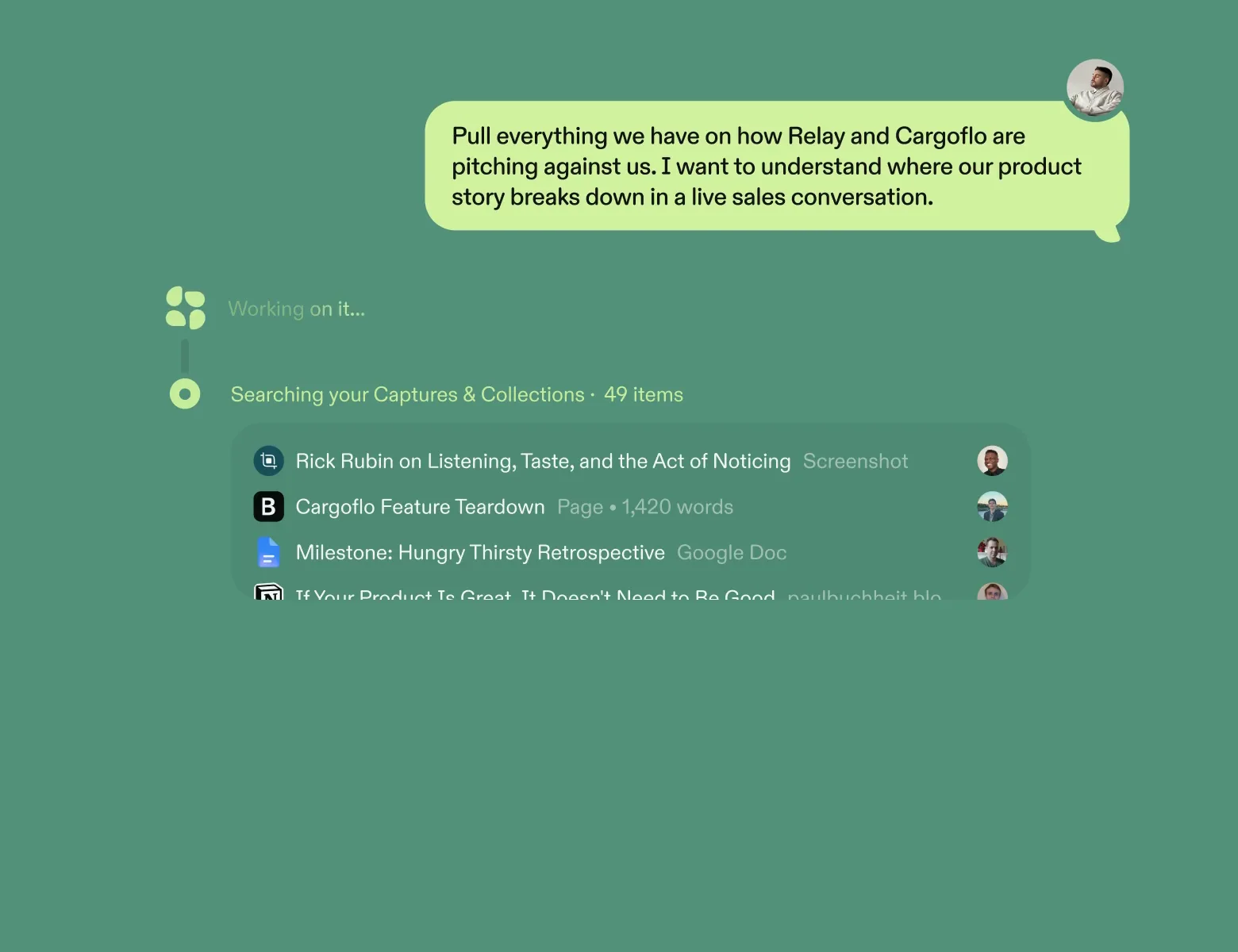
It finds the right Captures and Collections for your question, then builds the answer from them
You edit instead of drafting from nothing
Ask for the spec, the board update, or the hard reply. Scuba drafts it from what your team decided.
Scuba grounds every claim in your Captures
Click a citation and the Capture opens at the passage it came from
Scuba answers about 10x faster
Because it builds a semantic search index of everything you capture

Scuba answers from what your team already knows

Most AI apps open with a blank prompt. A session opens with your team’s Captures and yours, so you move smarter together, not just faster alone.

Scuba scouts everything you and your team saved to build the best answer

Pressure-test an idea, ask for feedback, or talk a decision through. In scout mode, Scuba searches your whole library and everything your team has shared. It finds the Captures and Collections that bear on this question, reads them in full, and builds the answer from them.

  • Every claim is grounded in your Captures. Click a citation and the Capture opens at the passage it came from, so you can check it in a second.
  • Scuba draws on what you saved from the web and from your AI chats too: a YouTube talk, a Substack post, the comparison Tian ran in Claude.
  • Scuba builds a semantic search index of everything you capture. That makes a session about 10x faster than another tool reading the same Captures through MCP. You get the same search in Claude, Cursor, and your other tools.

A session only draws on Captures you can access. It never reads a teammate’s private Captures.

A question about moving off per-seat pricing types out. The answer’s header says Scuba scouted 1,240 Captures and 9 Collections and used 3. The answer arrives one point at a time, each citing its source: a customer’s text, the pricing spec Kelly shared from Google Docs, and a pricing comparison Tian captured from Claude.
should we move off per-seat pricing?
Scuba scouted 1,240 Captures and 9 Collections · used 3
  • Acme’s head of ops texted that seats hold her team back. Half need it twice a month.
  • Pricing spec v3 already has a usage tier. It was parked in March.
  • Tian’s comparison in Claude favors usage pricing with a seat floor.
Text from Acme’s head of opsMessages · Screenshot
Pricing spec v3Google Docs · Shared by Kelly
Claude: pricing model comparisonClaude · Shared by Tian

Scuba reads every call, doc, and thread before it answers

Ask what customers say about onboarding and get the pattern across every call. Scuba reads hundreds of Captures for one answer: docs, voice transcripts, podcast interviews, customer screenshots, and chats saved from Claude. It lists the ones that mattered underneath.

A question about what customers say about onboarding types out. The answer’s header says Scuba read 212 Captures and 3.4 million words. Three points arrive one at a time, citing a call transcript, a podcast interview on YouTube, a customer screenshot, and a support ticket analysis captured from Claude.
what do customers say about onboarding?
Scuba · read 212 Captures · 3.4 million words
  • Setup stalls at inviting the team. It comes up in 14 calls.
  • Acme’s head of ops said the same on a podcast in May.
  • The texts agree, and so do 40 support tickets.
Northfield onboarding callVoice transcript · 52 min
Podcast: how Acme runs opsYouTube · Podcast interview
Text from Acme’s head of opsMessages · Screenshot
Claude: themes in 40 support ticketsClaude · Shared by Dolapo

Scuba scouts the web when a question needs fresh sources

Scout mode reads your Captures first. When they don’t fully answer the question, it pulls fresh sources from the web. Each web claim links to its page.

A question about usage pricing types out. Scout mode finds that the saved pricing research stops at 2025, looks on the web, and answers in three lines. Its sources are a Substack teardown Kelly saved, research captured from ChatGPT, and a New York Times article from the web.
is usage pricing still gaining on seats?

Your pricing research stops at 2025. Looking on the web.

Scuba · 2 Captures · 1 from the web

Yes. The Times reports more new products launching on usage plans.

That fits the teardown Kelly saved last year.

Your ChatGPT research flagged one risk: bills get harder to forecast.

Pricing teardown: 12 SaaS companiesSubstack · Shared by Kelly
ChatGPT: usage pricing researchChatGPT · Captured in May
Software sellers rethink the per-seat priceThe New York Times · From the web

Scuba quickly drafts from what you’re working on right now

Attach the open tab, the file, or a screenshot of the app in front of you. Then ask for the draft. Scuba writes it from what you’re working on and your team’s Captures together. Attach the Gmail tab and the reply is ready to edit.

A browser tab from Gmail, an email titled Re: renewal terms, is attached to a session. A request for a reply types out. The draft arrives one line at a time, citing the Q4 plan, pilot terms captured from ChatGPT, and a Substack post on renewals that Kelly saved.
Gmail · Re: renewal terms
draft a reply. hold the 10-seat floor
Scuba · read the tab and 3 Captures

Hi Marcus, thanks for laying out the renewal terms.

Annual plans keep a 10-seat floor, so we’d hold that.

We can offer Acme the usage pricing pilot from January.

It leads with the floor, as the renewals post Kelly saved suggests.

Q4 plan, finalGoogle Docs · Updated Oct 30
ChatGPT: usage pilot termsChatGPT · Shared by Tian
How to hold a price at renewalSubstack · Shared by Kelly

An attachment stays in the session. To let your team find it, capture it instead.

You keep your sessions private and share the answers worth sharing

Only you see your sessions. Copy an answer and the formatting holds, or share that one answer by link. Your sessions sync to iPhone and Android.

A request to summarize the pricing decision for Dolapo types out. A short formatted answer arrives, citing a voice note, a comparison captured from Claude, and a YouTube talk. Then two labels appear: only you see the session, and this one answer is shared by link.
summarize the pricing decision for dolapo
Scuba · used 3 Captures

Decision: pilot usage pricing with Acme first.

Why: Tian’s comparison and the talk Kelly saved both favor a seat floor.

Pricing review: what we decidedVoice note · Oct 28
Claude: pricing model comparisonClaude · Shared by Tian
Talk: pricing by usage, with a floorYouTube · Shared by Kelly
Only you see this sessionThis answer shared by link

A link shares that one answer. You can turn it off whenever you like.

You start as the editor, not the first drafter

Ask for the board update, the spec, or the reply to a hard email. The draft comes from what your team decided, so your first move is an edit.

  • Scuba grounds every claim in the draft in a Capture. Click the citation and it opens at the passage, so you can check a number before the board does.
  • Paste a draft worth keeping into a note, and it’s a Capture. Share it with your whole team in one click, or add it to a shared Collection for the project. Claude, ChatGPT, and Slack can reach it too.

You decide what gets sent. Edit the draft, then send it yourself.

A request for the October board update types out. The draft arrives a block at a time: a heading, then a decision, a miss, and a market note. They cite a voice note, a retro captured from ChatGPT, and a New York Times article from the web.
draft the october board update
Scuba · draft · 2 Captures · 1 from the web

October board update

Decision: we’ll pilot usage pricing with Acme first.

Miss: the sync rewrite slipped two weeks. Review capacity, not code.

Market: more software sellers are moving off seats.

Pricing review: what we decidedVoice note · Oct 28
ChatGPT: sync rewrite retroChatGPT · Shared by Brian
Software sellers rethink the per-seat priceThe New York Times · From the web

A blank chat knows what you paste. A session knows what your team saved.

Today

  • Every morning you paste the same three paragraphs of background into a new chat.
  • The rest is averaged from the public internet. Your competitors got the same one.
  • The decision survives. The reason behind it is in a thread nobody can find.

With Scuba

  • You skip the background. Scuba already has it, and shows which Captures it used.
  • Scuba opens with what your team learned, then adds the web.
  • Scuba brings the decision back with the reason behind it, and the Capture that recorded it.

No one on your team starts from scratch again.

  1. First two minutes

    You ask about the doc you have open

    Capture it and start a session from it. Ask what you’d ask its author. The answer comes from the doc and cites it.

  2. First week

    Scuba brings back what your team learned last time

    The export bug is back. Ask how it went last time. The answer cites June’s fix and why it fell short, so you start from the lesson.

  3. First month

    What you learn compounds across every project

    Your Captures and Collections now span pricing, the launch, and customer research. Ask about one and the answer draws on the others, like a voice note you’d forgotten. Connect Claude or ChatGPT, and they start from the same Captures.

How teams use sessions every week

Five people, what each needed done, and what a session made possible.

You write a deeply informed strategy doc in ten minutes

The strategy doc is due at planning, and its inputs live in six places. Ask for the draft and Scuba writes it from the customer calls, the research, the competitor notes, and last quarter’s decisions. Every claim is cited. Ten minutes in, you’re editing a strategy, not assembling one.

A product manager’s request to draft the onboarding strategy doc for next year types out. Scuba’s header says it scouted 1,240 Captures and used 14. The draft arrives one point at a time, citing a customer call, onboarding research Kelly captured from ChatGPT, a competitor teardown Nick captured from Claude, and the third-quarter planning decisions.
Scuba · draft · scouted 1,240 Captures · used 14
  • Bet: fix team invites first. Setup stalls there in 14 customer calls, and Kelly’s research agrees.
  • Why now: two competitors shipped guided setup this fall.
  • Hold: templates stay parked. Q3 planning decided that, and nothing here reverses it.
Northfield onboarding callVoice transcript · 52 min
ChatGPT: onboarding research synthesisChatGPT · Shared by Kelly
Claude: competitor teardown, guided setupClaude · Shared by Nick
Q3 planning: what we decidedGoogle Docs · Shared by Noah

Your team shares what it knows. Your questions stay yours.

Only you see what you asked. You choose which answers to share.

  • Your sessions are yours alone

    Only you see a session, even when its sources are shared. You can share one answer by link, and turn the link off.

  • Scuba reads what you can already open

    A session draws on your own Captures and the ones shared with you. A teammate’s private Captures stay out. The same holds when you search from another AI tool.

  • Scuba grounds every claim in your Captures

    Every citation is one you can click. It opens the Capture at the passage the claim came from, so you can check it in a second. AI can make mistakes, so check before you act on anything important.

  • Your data stays out of model training

    We don’t train models on your data, and neither do our AI vendors.

Read how Scuba handles security and privacy

In their words

The details

For the person, or the agent, checking the specifics.

Scuba scouts your library and your team’s
Your Captures, your Collections, and everything shared with you, including what you saved from the web, Claude, and ChatGPT.
Scuba answers about 10x faster
It builds a semantic search index of everything you capture. One answer can read millions of words.
Scuba grounds every claim in your Captures
Click a citation and the Capture opens at the passage it came from. Each answer lists the Captures that shaped it.
You attach files, screenshots, and tabs
Files and images, a screenshot of any app you have open, and open browser tabs.
You get the same search in your other tools
Use it from Claude, ChatGPT, and Cursor through MCP. It’s fastest in a session.
Your sessions sync across Mac, web, and phone
That includes the iPhone and Android apps. Press Cmd+N on your computer, or start from a story in your briefing.
Read how Scuba handles security and privacy

Questions people ask

The ones we hear most, answered straight.

Security and privacy

I already paste things into Claude and it works fine. What does this add?

The messy context that fuels your work, already read. You already paste in the customer’s text, the spec, and last month’s decision, one at a time. A session starts with all of them. Each point links to the Capture it came from.

Your team’s context is there too. A teammate shares a Capture with the whole team in one click, or adds it to a shared Collection. Your next answer can draw on it.

And it goes where you go. The same search works inside Claude, ChatGPT, and Cursor through MCP, the standard way AI tools connect to other apps. When a chat produces something worth keeping, capture it. It shows up in your next answer.

How does it find the right source?

Scuba doesn’t just index the words. It understands the meaning behind them, and it builds a graph of how Captures, topics, and Collections relate.

So a question finds the right source even when it shares no words with it. Ask about “churn” and Scuba finds the call where a customer said they might not renew.

How do I know it isn’t making things up?

Every claim is grounded in your Captures, with citations you can click. Each one opens the Capture at the passage it came from, so you can check it in a second.

AI can still make mistakes. Check the cited Captures before you act on anything important.

Is it useful before my team joins?

Yes. On your own, a session draws on everything you’ve captured: the docs, the screenshots, the voice notes. The first useful answer needs one Capture and one question.

When teammates share Captures or Collections with you, those join your answers too. A session never reads a teammate’s private Captures.

How is a session different from a Collection?

A Collection is a set of Captures your team shares for a project, like a product launch, or an area, like customer research. A session is your private conversation with Scuba about them.

Start a session from a Collection, or from selected Captures inside one, and it comes along as context.

Can I choose how thorough an answer is?

Yes. Pick a faster option, a more thorough one, or let Scuba choose for each question. The models come from more than one AI provider.

Can a session send or post for me?

No. A session searches, reads, and asks you questions. It takes no actions in other tools, so you send what you decide to send.

Can it query my data warehouse?

No. Scuba doesn’t connect to a data warehouse or run queries. A session reads what you’ve captured and what you attach.

Capture the report instead, like the weekly exec report or a spreadsheet export. Then ask about it. The answer cites the report like any other Capture.

Can it make slide decks?

A session writes the deck’s outline and drafted content today: the story, the headings, and the talking points, each one cited. It doesn’t lay out slides.

For the slides, connect Claude or ChatGPT to Scuba through MCP, the standard way AI tools connect to other apps. Have them build the deck from everything in Scuba.

Does it know which source is newer?

Yes. Scuba tracks how things change across your Captures: a plan that moved, two Captures that disagree, a customer who shifted position. A session surfaces the conflict or the shift in its answer.

Each source is cited with its date, so you can see which is newer. Your briefing brings you the same shifts without you asking.