Agents and Slack

Get more leverage from your agents

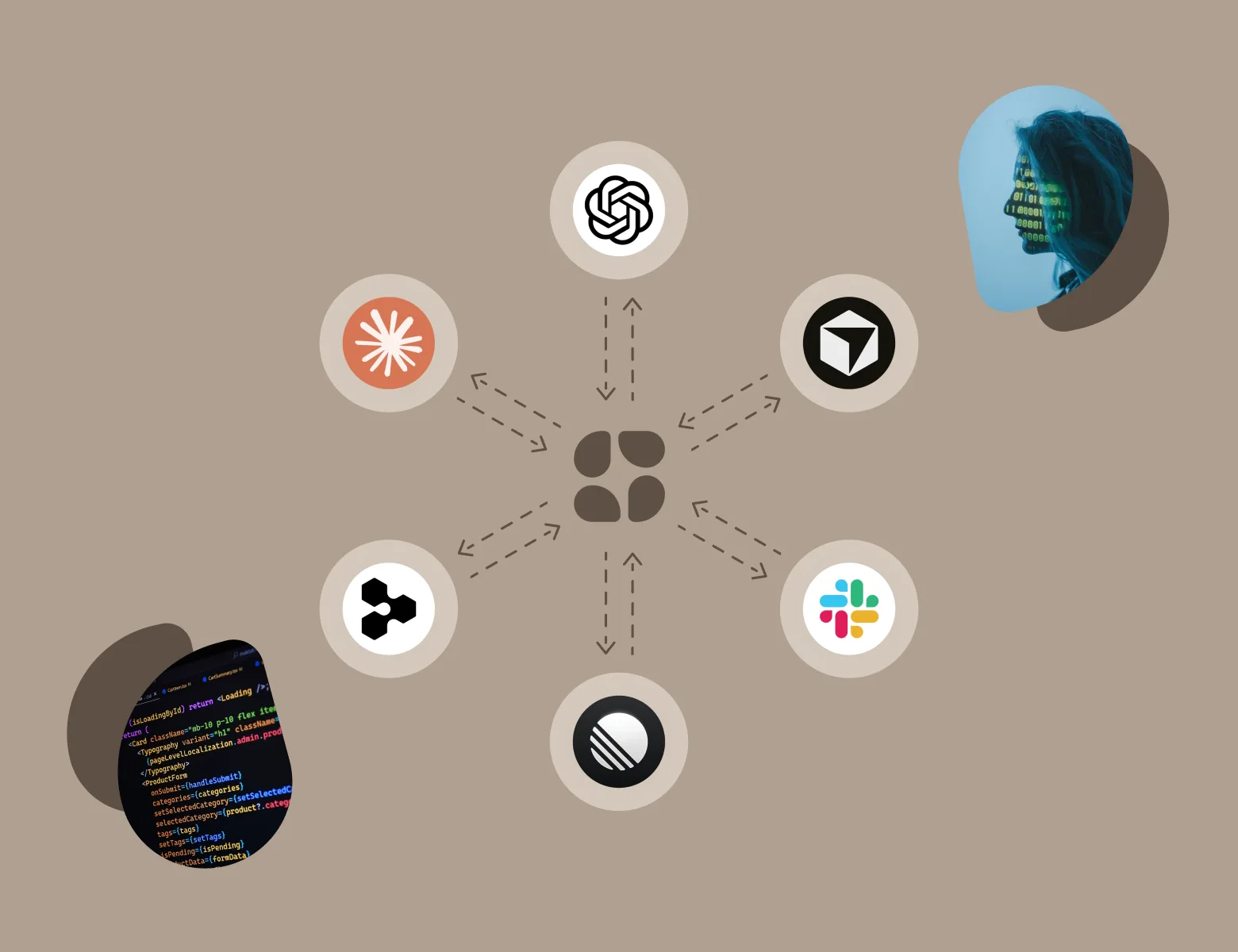
Give Claude, ChatGPT, Cursor, and Slack the full story: your team’s customer calls, decisions, and plans. They read it before they answer, and save what they make back where your whole team can find it.

You connect your first tool in about a minute, and keep every tool you use now.

Your agents start from what your team knows
Claude, ChatGPT, Cursor, and Slack read the same Captures, from you and your team. You spend fewer tokens and get better results, faster.
They write back to one shared memory
A chat’s answer, an artifact, a coding agent’s plan. Each one lands where your whole team can find it.
You build skills and automations powered by Scuba
Your agents reach everything Scuba does through MCP, the standard way AI tools connect to other apps
@Scuba answers in your Slack threads
Mention @Scuba in any thread. It answers from your team’s Captures, or captures the thread for everyone.

Give your team’s agents the shared memory they’ve been missing

The models aren’t intelligence bound anymore. They’re context constrained. Give them the full story. Every tool you connect starts from the customer calls, decisions, and plans your whole team captured. You spend fewer tokens and get better results, faster.

Claude answers from your own customer calls

Ask the way you’d ask a coworker, without a long prompt. Claude searches your Captures first and names the ones it read. It reads what you can open in Scuba.

In Claude, a question about trials runs a Scuba search, and the answer names three Captures: the Northfield onboarding call, a customer text from Acme, and the pricing decision memo.
Claude
Searched Scuba · 3 Captures
Claude

Two customers gave the same reason. Inviting a teammate added a paid seat.

Nobody at Northfield invited a second person: Onboarding call with Northfield

Acme said half the team only needs it twice a month: Customer text from Acme

Your team already picked the fix, free invites on trials: Pricing decision memo

Add Scuba to Claude

Your agents save what they make where your whole team can find it

Never lose a great answer to one chat’s history. Ask your agent to save it, and Scuba organizes it for you and your team. Everyone’s agents start from what one person’s agent worked out.

Claude saves its analysis where six people can open it

Claude analyzes your logs and picks out the latency spikes and where new teams drop out of onboarding. Brian asks Claude to save the artifact. Scuba turns it into a Capture with a summary, highlights, and related Captures, in a Collection his team shares.

Before: in Claude, Brian asks for an analysis of last week’s logs, and Claude builds an artifact, Onboarding funnel and latency analysis. It shows a 38% drop between steps 3 and 4 of onboarding and a p95 latency of 2.1 seconds on the invite step. The artifact lives in Brian’s chat. After: saved to Scuba, the same analysis is a Capture with a summary, labeled as an artifact from Claude, in the shared Onboarding Collection, where six people can open it.
Claude · Brian’s chat
analyze last week’s logs. where is onboarding slow, and where do new teams drop off?
Onboarding funnel and latency analysisArtifactStep 3 → 4: invite a teammate38% dropp95 latency on invite2.1sNew teams leave at the slowest step: the invite
Becomes a Capture
Onboarding funnel and latency analysis
Claude’s analysis of last week’s logs. 38% of new teams drop between steps 3 and 4, where the invite takes 2.1 seconds at p95.
Artifact · Claude
just now
Onboarding6 people can open it

You own a saved Capture until you share it. Share it with your whole team in one click, or add it to a shared Collection.

Your agent adds its research to the Collection your team shares

Ask Claude or ChatGPT to research a topic across the web and save what it finds. Your agent saves each source as a Capture with its own summary. The research joins what your team already gathered in a shared Collection. Ask the Collection questions in a session, or point your next chat at it.

In Claude, an ask to research how SaaS companies price by usage ends with three web pages saved to Scuba as Captures: a Stripe blog post, a Substack essay, and a YouTube talk. They join the 12 Captures the team already gathered in the shared Collection Pricing strategy & insights, which now holds 15 Captures and is shared with four people.
Claude
research how saas companies price by usage. save the best sources to pricing strategy & insights in scuba
Claude

I read 61 pages and saved the 3 worth your team’s time.

Each one is a Capture with a summary: Stripe: how we design usage-based billing What three years of usage pricing taught us Talk: seats, usage, and the bill nobody expects

They join the 12 Captures your team already gathered in Pricing strategy & insights

Added to the Collection
💡 Pricing strategy & insights
+12
Customers accept usage pricing when invites stay free. New this week: most companies pair a free allowance with tiers.
15 Captures
just now

When an agent adds to a shared Collection, Scuba tells you how many people can see it.

Our coding agents keep our own engineering wiki

We run our own engineering wiki this way. Before non-trivial work, the coding agent recalls prior decisions, failed approaches, and incidents from our Eng Wiki Collection in Scuba. After a decision, a surprising root cause, a revert, or a pull request outcome, it offers to file it back. People write to the same Collection too: best practices from the web, post-mortems, notes on triaging performance. So every coding agent starts from what the whole team has learned. Your team can use Scuba’s public skills to do the same.

In Claude Code, an engineer asks to move the briefing email to a queue worker. Before it starts, the agent searches the Eng Wiki Collection in Scuba and recalls two prior decisions: retry sends with idempotency keys, and one queue per environment. After the change, it offers to file the new decision to the Eng Wiki.
Claude Code · ~/app
move the briefing email to a queue worker
scuba.search(search_queries=["briefing email queue decisions"])2 Captures in Eng Wiki

Two prior decisions apply before I start: Decision: retry sends with idempotency keys Decision: one queue per environment

Done. Sends now run on the worker. Want me to file this decision to Eng Wiki?

Your agents are eager interns. Give them the full story.

Today

  • Your agents are sharp and quick, and they lack the full picture. So they guess, confidently.
  • You get the answer your competitors got, averaged from the public internet.
  • The best answer of the week sits in one teammate’s chat history. Nobody else sees it.

With Scuba

  • Every tool reads the same Captures, so your team and your agents work from one plan.
  • Your agents read the decision, the plan, and the customer’s own words before they answer. They name what they read.
  • They save what they make for the team. Every answer, artifact, and line of code starts from your team’s point of view.

You connect in a minute. What your agents know compounds from there.

Start alone, with one tool. You keep chatting the way you do now.

  1. First minute

    Connect the tool you use most

    Add Scuba to Claude or add Scuba to ChatGPT, and sign in with your Scuba account. Then ask it about something you’ve captured.

  2. First week

    You pull @Scuba into your Slack threads

    Your agent answers from your own calls, docs, and notes, and names the Captures it read. Add Scuba to Slack, and you pull @Scuba into any thread to capture it or have it weigh in with an answer.

  3. First month

    What you learn compounds across every project

    The research an agent saved for one launch grounds the plan for the next. Connect a second tool, and it starts from what the first one saved. Each chat spends fewer tokens finding its way, across every Collection you keep for a project or an area.

How teams use it every week

Five teams, what each needed done, and what an agent that knew the full story made possible.

Engineering fixes a customer’s bug for everyone who hit it

A customer reports a broken export late at night, and sales captures the message. An engineer’s coding agent reads it, plus what two other customers said about the same thing. One pull request covers all three.

Adam captures a customer text from Northfield about a CSV export missing its usage column. Sebastian’s coding agent, Cursor, searches Scuba, finds the text and two more reports of the same bug, and opens one pull request that fixes the export and quotes all three.
Northfield: the export is missing usage
Messages
11:04 PM
Sebastian’s agent reads it
Cursor · ~/app
scuba.search(search_queries=["csv export usage column"])3 Captures: a customer text, a support email, a call

Two more customers hit this, so I fixed every export, not just Northfield’s: Onboarding call with Acme

One pull request is open. It quotes all three.

Your agents see what you see, and you can undo what they do

An agent acts when you ask, as you. You choose which tools connect, what they save, and who sees it.

  • Your agent sees what you see

    An agent signs in with your Scuba account. It reaches the Captures and Collections you can open. A teammate’s private Captures stay out of your answers.

  • You can see and undo every action

    Everything an agent does shows up on the integrations page. You can undo it, and turn a tool’s access off at any time.

  • Scuba confirms before big moves

    Scuba confirms before an agent shares broadly or deletes. Adding to a shared Collection tells you how many people can see it.

  • Your private Captures stay private in Slack

    @Scuba answers when someone mentions it. In channels it uses Captures shared with your whole team. Scuba never uses your Slack data to train AI models.

Read how Scuba handles security and privacy

In their words

The details

For the person, or the agent, checking the specifics.

Scuba works with the tools you use
You can add Scuba to Claude, to ChatGPT, or to Slack. Cursor and any other tool that supports MCP connect from Settings, then Integrations.
Your agent reads Captures and Collections
It searches your Captures and Collections. It reads a Capture’s full text or transcript, its summary, and its comments.
Your agent creates Captures and Collections
It creates Captures from text, links, and files, including chat output and artifacts. It also creates Collections and adds Captures to them.
Each teammate connects their own tools
Every agent signs in as one person and works with that person’s access.
You save a Slack thread by asking
You ask @Scuba to capture a thread, or use the message shortcut. It posts a summary back to the channel and suggests a Collection.
A team admin adds Scuba to Slack
A team admin adds Scuba to Slack and links it to your team. Then each person connects their own Scuba account.
Scuba labels what an agent made
A Capture made by an agent says so, and names the tool that made it.
You turn a tool off in Settings
Go to Settings, then Integrations. The same page lists what each tool has done, with undo.
Read how Scuba handles security and privacy

Questions people ask

The ones we hear most, limits included.

Security and privacy

Claude has projects and memory. ChatGPT has memory. What does this add?

Shared team memory. Memory in Claude and ChatGPT is personal and implicit: it remembers things about you from your own chats. Scuba is explicit and shared. Your team chooses what to capture, and everyone and every tool you connect reads it.

A project holds the files you upload. Scuba holds every kind of Capture: web pages, PDFs and other files, screenshots, voice notes with transcripts, written notes, Slack threads, Google Docs and Notion pages, videos with transcripts, and the output of your AI chats.

A project is one silo. Scuba works across all your Collections at once, so one answer draws on the launch, the customer research, and the pricing work together. Keep using both. Claude and ChatGPT keep what they know about you, and Scuba gives them what your team knows.

What is MCP? Do I have to write code?

No code. MCP is the standard way AI tools connect to other apps. It’s how Claude, ChatGPT, or Cursor can search Scuba and save to it when you ask. Add Scuba to Claude or add Scuba to ChatGPT and sign in.

Does it work with the other tools I use?

Yes, if the tool supports MCP. Scuba works with every tool that does, from ChatGPT and Claude to Cursor and Devin to Linear and Figma.

Claude, ChatGPT, and Slack have install links. Coding agents like Cursor, Claude Code, and Codex are set up from Settings, then Integrations, in Scuba. Each teammate connects their own tools, so each agent has that person’s access. Slack is the exception: only a team admin can add Scuba to Slack.

Can a connected agent delete or share things?

Yes, with a check. It updates or deletes only things you own, and Scuba confirms before a delete. Scuba also confirms before an agent shares broadly. You can undo what it did from Settings, then Integrations.

Does Scuba read our Slack channels and DMs?

No. Scuba doesn’t read your channels or your DMs. @Scuba sees only the thread where someone mentions it. In channels it uses only Captures shared with your whole team.

Some personal agents read everything you have access to by default. Scuba reads only what you point it at.

A DM to @Scuba itself is how you ask with your private Captures included. Only a team admin can add Scuba to Slack in the first place. The security page has the details.

My company’s IT blocks connectors. Will this work?

Maybe not right away. Some company policies block connectors, and your admin may need to approve the connection first.

The security page has what they’ll ask for. In the meantime Scuba works on its own. Capture, search, sessions, and the daily briefing all run without a connector.

Does Scuba connect to Notion, Drive, GitHub, or our data warehouse directly?

No, not today. Scuba doesn’t import from those tools on its own, and it isn’t a front end for a data warehouse.

You capture what matters from them with one keyboard shortcut, Cmd+Shift+S. Or an agent that can already reach those tools saves what it finds to Scuba. A saved Google Doc refreshes when you revisit it.

Is our Slack data used to train AI models?

No. We don’t train models on any customer data, and our AI vendors don’t either.

A captured thread is a Capture like any other. You can see who has access, and you can delete it.